Learn
Logarithmic Curve of Best Fit
Using Desmos to Plot Data to Find the Curve of Best Fit
Open Using Desmos to Plot Data to Find the Curve of Best Fit in a new window
Note: The presentation may take a moment to load.
Using the Calculator to Enter and Plot Data
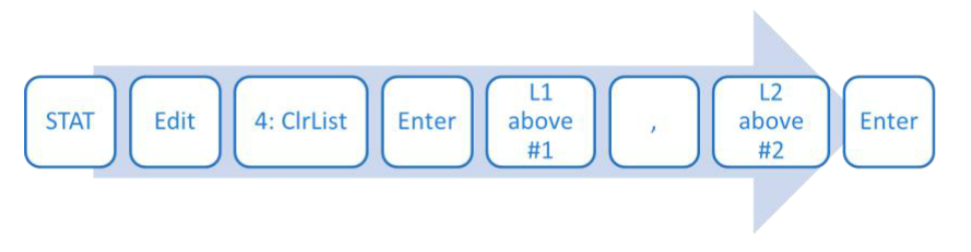
Enter the data from the table into your calculator using the following keystrokes.
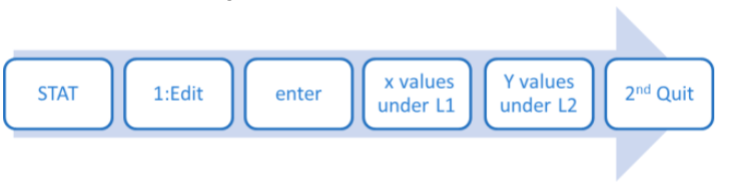
Before you hit 2nd Quit, your calculator screen should look like the image below.

| x | y |
| 1 | 2.2 |
| 2 | 6.4 |
| 3 | 9.5 |
| 4 | 11.1 |
| 5 | 13.1 |
| 6 | 13.9 |
| 7 | 15.1 |
| 8 | 15.7 |
| 9 | 16.5 |
| 10 | 17.4 |
Using the Calculator to Enter and Plot Data
Now follow the keystrokes below.
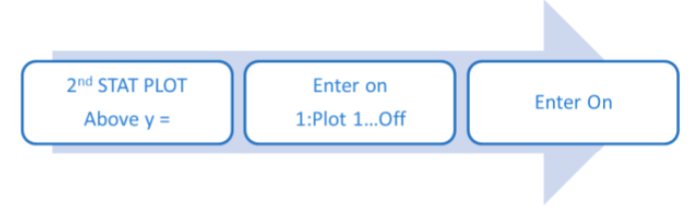
Your screen should now look like this:
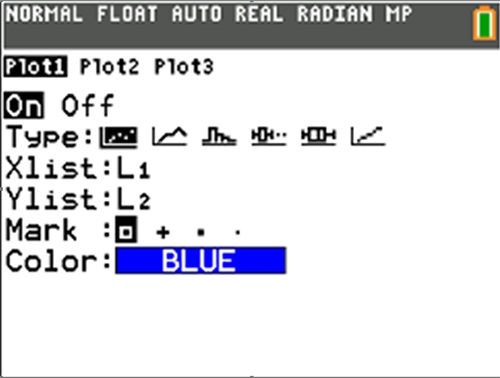
Using the Calculator to Enter and Plot Data
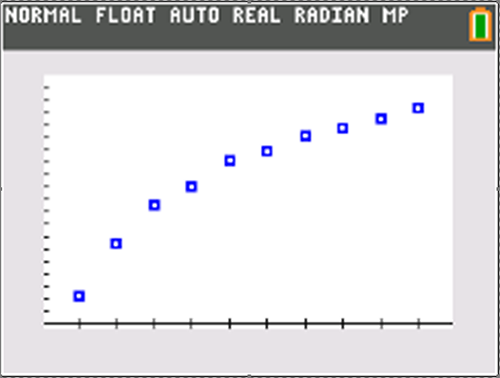
Now, to create the graph, hit the ZOOM key on the top line of buttons.
Use the down arrow key until 9: ZoomStat is highlighted, then hit Enter.
Your graph should look like the one to the right.
Fitting a Logarithmic Model to Data
Now follow these calculator keystrokes:
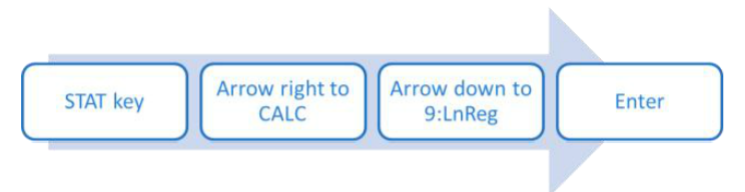
Your screen should display the text LnReg. Hit Enter again.
The screen should now look like the image to the right.
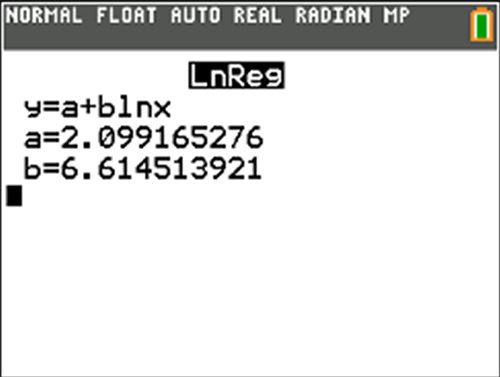
Substitute the a and b values into the equation, rounding the three decimals.
y = 2.099 + 6.615 ln x
Fitting a Logarithmic Model to Data
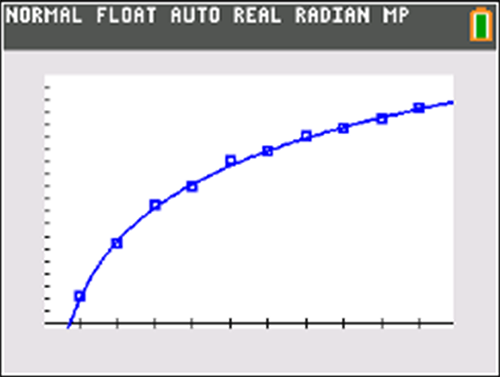
Test the logarithmic model to see if it works, using the following calculator keystrokes:

Here is what the graph should look like:
Fitting a Logarithmic Model to Data
Since the data and the model equation are graphed in the same viewing window, you can see that the model is a good fit.
We conclude that y = 2.099 + 6.615 ln x is a logarithmic equation that models the given data.
Erasing the STAT Plot
Follow the calculator keystrokes below to erase the STAT plot:
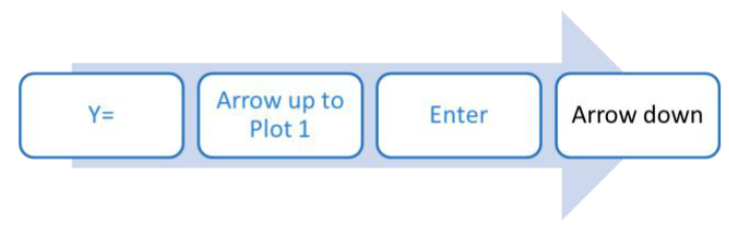
Plot 1 should no longer be highlighted.
Now use the following keystrokes to clear the list.